


HDMI DIRECTION SWITCH
Product Code: SE-L335
Availability:
In Stock
Price:
ZAR 80
ZAR 150
[HDMI Bi‑Direction Switch]
📌 Overview
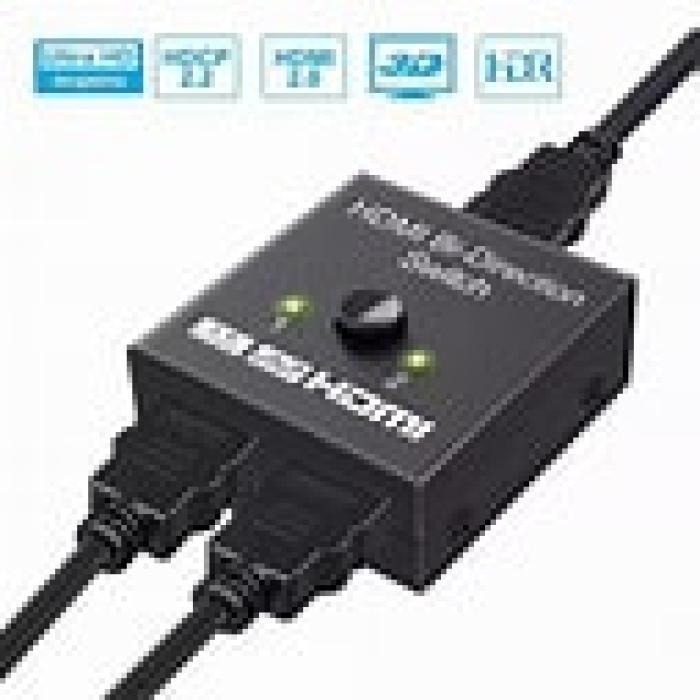
The HDMI Bi‑Direction Switch is a compact and versatile device that lets users easily switch between HDMI sources or displays without unplugging cables. It functions in two modes:
2 → 1 mode: Connect two HDMI devices (like a gaming console and media player) to one display (TV, monitor, or projector).
1 → 2 mode: Connect one HDMI source to two different displays, selecting which screen shows the output.
This bi‑directional capability makes it ideal for home entertainment setups, office presentations, gaming setups, and more.
---
📺 Key Features
✅ Bi‑Directional Functionality – One device works as both HDMI switch and splitter (2‑in/1‑out or 1‑in/2‑out).
✅ Plug & Play – Simple manual select button; no power adapter or drivers required in most basic models.
✅ Supports High‑Definition Video – Capable of handling high resolutions up to 4K @ 60 Hz (depending on model version).
✅ HDR & HDCP Compatible – Works with HDR10, Dolby Vision and HDCP 2.2 on compatible devices to ensure wide compatibility.
✅ Durable & Compact Design – Small size makes it easy to fit into AV setups without clutter.
---
⚙️ Typical Technical Specifications
Specification Details
HDMI Version HDMI 2.0 Compatibility (many models)
Resolution Support Up to 4K @ 60 Hz (3840×2160)
Operation Modes 2 Inputs → 1 Output and 1 Input → 2 Outputs
HDR Support HDR10 / Dolby Vision on supported devices
HDCP Compliant HDCP 2.2 compliant (for modern content protection)
Audio Support HDMI digital audio (incl. Dolby/DTS formats on supported units)
Switching Method Manual push‑button or mechanical selector
Power Requirement Usually none (bus‑powered) or via USB (varies)
LED Indicators Shows active channel (depends on model)
Dimensions Compact — typically around ~40–60 mm width
Weight Light and portable (~30–100 g)
---
🎯 Common Use Cases
✔ Gaming Stations – Switch between consoles like PS/Xbox and other media sources.
✔ Home Theatre – Easily select between Blu‑ray, streaming boxes, and set‑top decoders.
✔ Office AV Setups – Toggle between multiple laptops or presentations on a shared display.
✔ Dual Display Configuration – Route one device to two different displays without a costly matrix switch.
---
📦 What’s Typically in the Box
HDMI Bi‑Direction Switch unit
User Manual
(Optional) USB power cable (for models that require external power)
(Exact accessories depend on the specific variant sold.)
---
🧠 Short SEO Product Description
Compact HDMI Bi‑Direction Switch that lets you connect two HDMI sources to one display or one source to two displays with support for up to 4K @ 60 Hz, HDR, and HDCP 2.2 compatibility — making switching between devices simple and convenient.
---